

Watch Twitch together online
Search Twitch channels by name or paste a channel / VOD link, choose a live stream or recording, and invite friends. Twitch remains the source while BlaTube adds the room, chat, and call.
Find a channel or paste a Twitch link
TwitchStart typing to see Twitch channels. Select one to view its live stream and latest VODs.
- Channel, live, or VOD
- No extension
- Chat and call
How to start watching Twitch together
- 1Enter a Twitch channel name or paste a channel / VOD link.
- 2Choose a channel, then select its live stream or a recent VOD.
- 3Send your friends the BlaTube invitation link.
- 4For live video, wait for everyone; for VOD, start from the same moment.
Which Twitch links you can use
Channels, live streams, and VODs behave differently. The page shows the available option before creating a room.
Channel link
Open twitch.tv/channel_name. If the creator is live, the Twitch live player opens in the room.
Live stream
Useful for shared reactions, although ads and connection quality can create different delays.
Broadcast recording
A twitch.tv/videos/… link is better for pausing, seeking, and returning to the same moment.
Clips are not supported
clips.twitch.tv links cannot currently be added as synchronized room videos. Use a channel or VOD.
What works with Twitch
- Search for a channel by name or open it from a full Twitch URL.
- After choosing a channel, you can select its current live stream or latest available VODs.
- Twitch Clips are not currently supported as synchronized room videos.
- Ads, sign-in, subscriptions, and regional availability remain controlled by Twitch.
What a Twitch room looks like
The Twitch player opens in the main area while the invitation, participants, playback states, chat, stickers, and BlaTube call stay beside it.
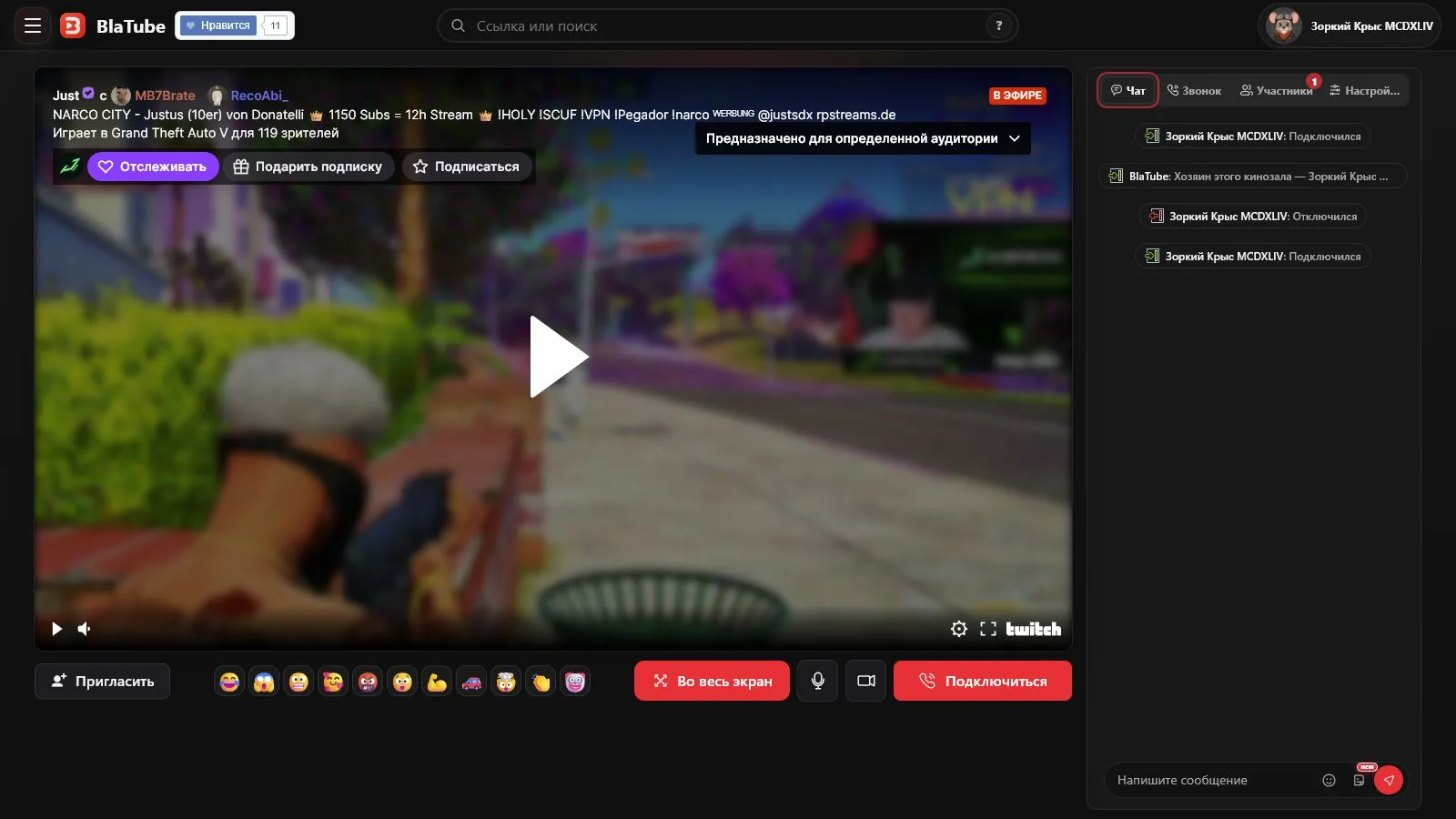
BlaTube can find a Twitch channel by name or open a direct channel or VOD URL. Select a channel to see its current live stream and latest available recordings before creating a room.
Live Twitch streams and latency
Twitch delivers the video to each viewer. Ads, buffering, quality, and low-latency mode can put participants at different points, so a live stream cannot always match to the exact second.
Why a VOD is easier to watch together
A Twitch recording has a timeline that can be paused and rewound. Availability still depends on Twitch, the creator, the viewer's account, and region.
This page is only for Twitch. For YouTube Live, VK Video, Rutube, and other sources, open Watch streams together. Twitch Clips are not currently supported as synchronized room videos.
Questions about watching Twitch together
Can I find a Twitch channel directly in BlaTube?
Yes. Enter a channel name, select a result, then choose its active live stream or a recent available VOD.
Can we watch a Twitch live stream together?
Yes. Add the channel to a BlaTube room and invite friends to watch the available Twitch player and chat beside it.
Will everyone be at exactly the same second?
Not always. Twitch ads, buffering, quality, and low-latency settings can shift viewers relative to the live broadcast.
Can we watch Twitch VODs together?
Yes. A twitch.tv/videos/… URL is better suited to pausing, seeking, and returning to one moment.
Are Twitch Clips supported?
No. Twitch Clips cannot currently be added as synchronized room videos. Use a channel or VOD.
Why does one viewer see an ad?
Twitch serves ads individually. BlaTube cannot control or skip those ad breaks.
Do viewers need a Twitch account?
Public streams may play without one, but Twitch can require sign-in for age, subscription, or regional access.