


Watch Dailymotion together online
Find a public Dailymotion clip, music video, news story or documentary and open it in one private BlaTube room.
Find a Dailymotion video
Dailymotion onlyPaste a direct video link or search public Dailymotion videos by title.
- No browser extension
- Shared playback controls
- Chat and video call
How to watch Dailymotion together
- 1Search for a Dailymotion video or paste its direct /video/ or dai.ly link.
- 2Choose the matching result — BlaTube creates a private room with that video.
- 3Send the room link to friends. They join in the browser without an extension.
- 4Start together and keep chat, reactions and video call beside the player.
Try a Dailymotion video
Choose a public example — BlaTube will create a new room with that Dailymotion video.
Dailymotion video types that work well
- Public music, culture, news, sports and documentary videos can be added from a direct link.
- Short dai.ly links and normal /video/ or embed URLs are recognised when they identify one video.
- Ads, account prompts, regional access and publisher embed settings still apply to each viewer.
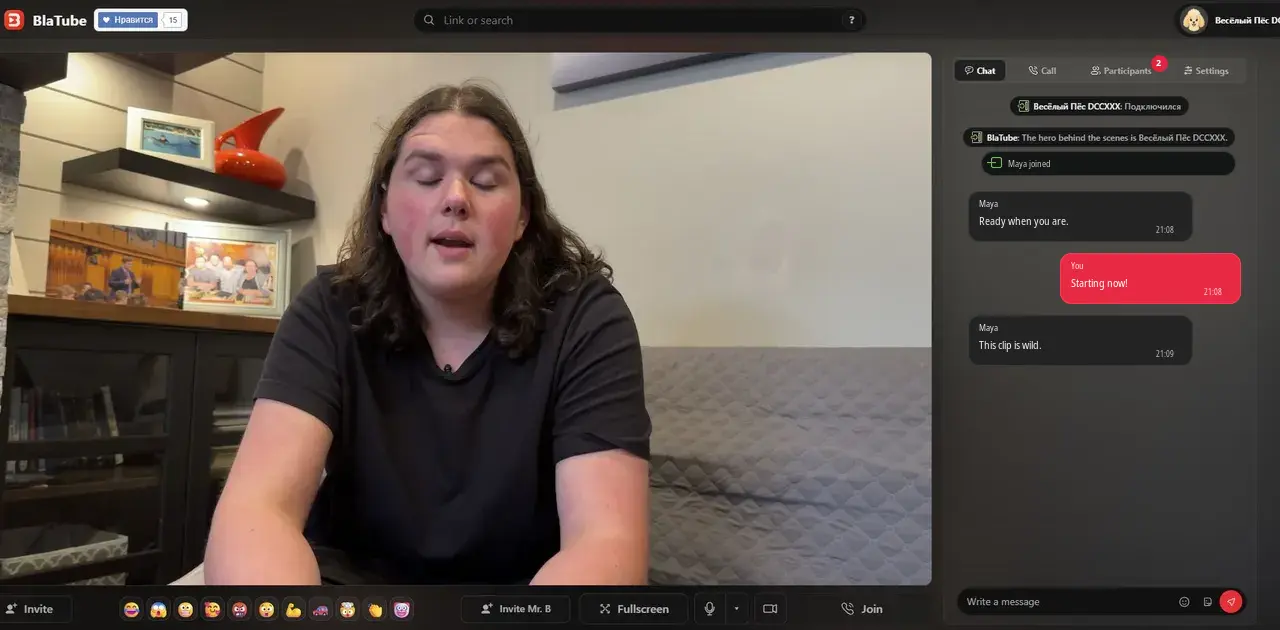
What a Dailymotion watch room looks like
The Dailymotion player uses the full media column. Participants, playback status and chat stay beside it at the same height.
Which Dailymotion links work
Use a direct dailymotion.com/video/…, dai.ly/… or Dailymotion embed link that identifies one video. Search is useful for public clips, music, culture, news and archive uploads; a channel or category page does not select one item for the room.
Ads, live pages and availability
Dailymotion can show ads or apply account, age, region and publisher restrictions independently for each viewer. BlaTube keeps the room and playback controls together, but it does not remove source restrictions. Confirm that the same video opens for everyone before the group starts.
Other watch-together options
Use BlaTube for a mixed-source watch party, YouTube together for YouTube search, Twitch together for channels and VODs, or Vimeo together for creator films and review links.
Questions about watching Dailymotion together
Can I search Dailymotion from this page?
Yes. Enter a title to see public Dailymotion results, then choose one to create a private room.
Which Dailymotion links can I paste?
Direct dailymotion.com/video, dai.ly and embed URLs work when they point to one available video.
Do I need a browser extension?
No. Supported Dailymotion links and title search work in a normal BlaTube browser room.
Why does another viewer see an ad or access message?
Dailymotion serves ads and checks region, account and publisher restrictions separately for each viewer. BlaTube does not bypass them.
Can I use a Dailymotion channel page?
Use or select one specific video instead. A channel or category page does not identify the item the room should play.
Can we talk while the video plays?
Yes. Text chat, reactions and BlaTube video call stay beside the shared player.